


Picasi Feature
MCP integration: your market data inside your own AI tools
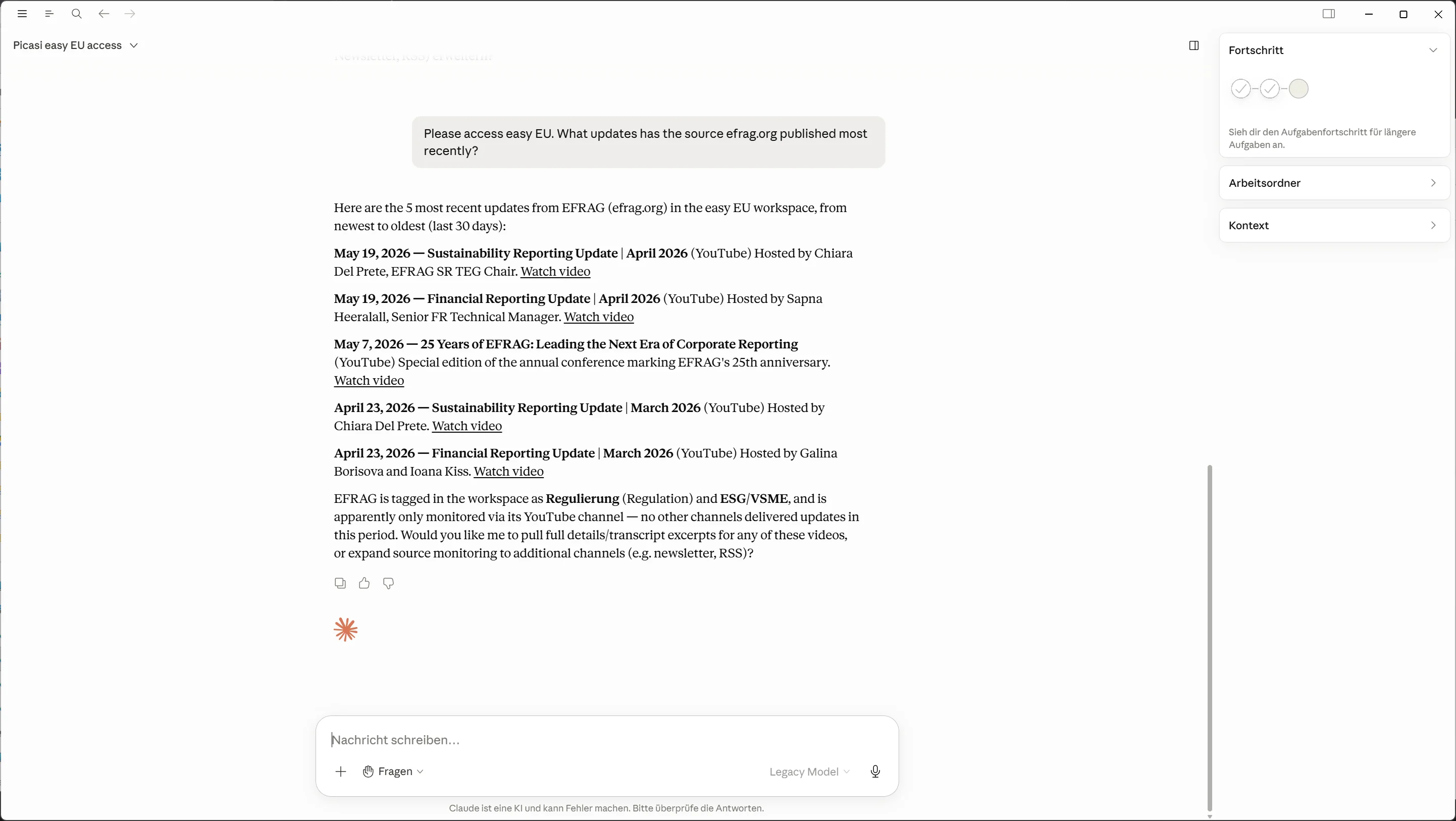
Picasi provides an MCP server (Model Context Protocol, an open standard for AI data access). With it, Claude, ChatGPT, or Claude Code query your monitored sources, Updates, and reports directly – without opening Picasi, without copy-and-paste, without programming. Included in every plan, set up in minutes.
Which problem does the MCP integration solve?
Most marketing teams now work with AI – writing, analyzing, preparing decisions. But that AI knows nothing about your market. Anyone who wants it to talk about competitors has to paste in the context by hand every time: screenshots, quotes, summaries. That costs time, and it starts over with every new chat.
The MCP integration turns this around: instead of carrying data to the AI, the AI fetches what it needs. A question like "What did competitor X communicate last week?" is answered by your AI tool itself – based on the sources you selected in Picasi.
What exactly can the AI access?
The Picasi MCP server exposes 16 tools across six areas. That lets an AI tool not only read your workspace, but maintain it:
- Sources – list, create, update, remove: your AI can add new competitors without you opening the app.
- Channels – create, update, enable or pause: LinkedIn, YouTube, newsletters, and RSS controllable per source.
- Tags – list, create, update: your topic taxonomy stays consistent between the app and your AI tool.
- Updates – search and retrieve in detail: the raw substance of your market monitoring.
- Reports – list and retrieve in full: finished Picasi AI analyses, processed further in your own chat.
- Team context – your stored context documents and settings, so the answers fit your company.
The context documents that personalize Picasi's analyses are capped at 30,000 tokens – enough for product, market, and company descriptions, and small enough to keep every answer focused.
Where access is set up and what it covers
MCP access is set up in your workspace settings, and it applies to exactly one workspace. If you monitor multiple markets in separate workspaces, you set it up separately for each one. That's a deliberate boundary, not a limitation: access can't reach into a neighboring workspace's data – not even when the same person works in both.
There's no classic API token that you create, renew, and revoke. And access isn't capped either: how often your AI tools reach Picasi in a month doesn't count against any plan, not even the free trial. What counts are the Updates, reports, and dossiers in your plan; you'll find those in the pricing overview.
The same separation applies to context. The 30,000 tokens are counted per workspace, not per account: each workspace brings its own context documents, and none of them draws on another's budget.
What does the MCP integration deliberately not do?
It is not a web search. Access works exclusively on what Picasi has collected for you – your selected sources and their channels. A source you don't monitor can't be found by your AI through MCP either. That's the same curated boundary as in the rest of the product – the Source-First approach: Track who, not what. Signal instead of noise, because the source base is chosen deliberately.
And it doesn't replace judgment. MCP gives your AI solid market context; what strategy follows from it is still your team's call. The scope of access also depends on the workspace role – read access can be granted separately from write access.
What do marketing teams use the MCP integration for?
Write content with real market context
"Write me a LinkedIn post about our launch – and take into account how the three biggest competitors have covered this topic in recent weeks." The AI pulls the evidence itself.
Prepare meetings in minutes
Before the weekly meeting, one question in the chat instead of half an hour of research: what happened since last week, and which of it concerns us?
Build your own automations
Because MCP is an open standard, Picasi data can be wired into your own AI workflows – for example an agent that classifies new competitor moves and reports them to the team.
✓ First 300 Updates free · ✓ Set up in 5 minutes · ✓ No credit card required
Frequently asked questions about the MCP integration
Give your AI the market context it's missing
Try Picasi with 300 free Updates – MCP integration included in every plan.